A browser that will not let you browse.
Not A Browser opens links from other apps and QR codes. There is no way to start somewhere else, so you open the page you were sent, finish, and leave.
Available now for Android through Google Play.
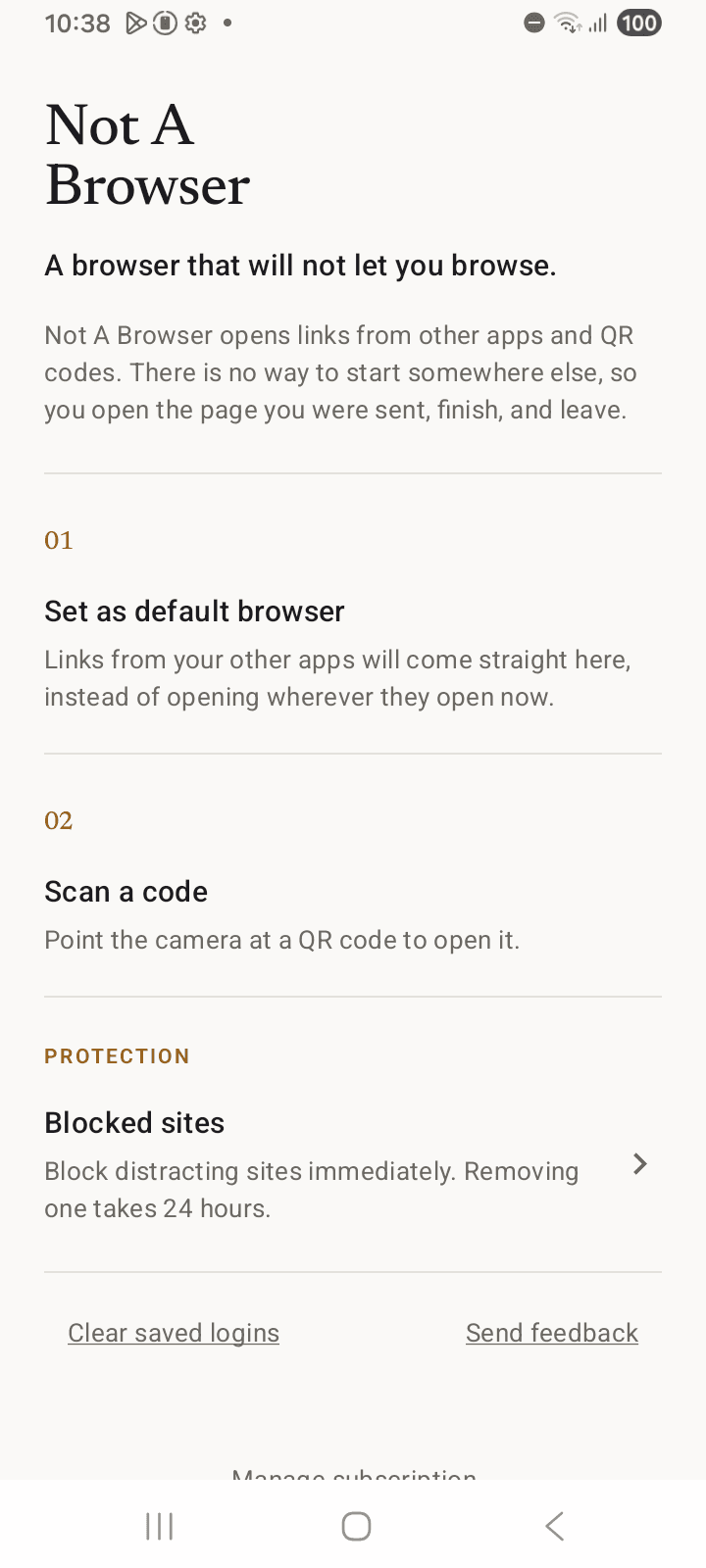
Two ways in. That’s it.
A link from another app
Tap a link in Messages, Mail, Calendar or Slack. Make Not A Browser your default and it opens here automatically.
A QR code
Point the scanner at a menu, parking sign or ticket. The code is read on your phone and the page opens here.
What is missing
No timer to extend and no lock to dismiss. The way out simply is not there.
- Nowhere to type a web address or search.
- No tabs, no history, no bookmarks, no home screen, no feed.
- No account, no sign-up, no sync.
If a feature makes it easier to keep browsing, it does not ship.
Set up the rest of your phone
Seven short, reversible steps. Start with the three-step quick version if that is all you need today.
Common questions
Will I stay signed in to sites?
Yes. Sign-ins stay in this app, separate from your other browsers. Banking, magic links and Google sign-in work normally.
Can I still follow links on the page I opened?
Yes. Links on the page work normally. What is missing is a way to start somewhere new.
What does Not A Browser collect?
Nothing. There are no accounts, analytics, stored history or ad identifiers. QR codes are read on your phone.
Is there an iPhone version?
Not yet, and possibly not ever in this form. Apple grants default-browser status only to apps that offer a URL field, a search tool, or bookmark lists on launch: the three things Not A Browser deliberately removes.
Writing
All postsDelete your phone's browser and still open links
Removing Chrome or Safari breaks every link in Messages, Mail and your two-factor emails. Here is what actually breaks, and the three honest ways to fix it.
An Anti Browser alternative for Android
Anti Browser is iOS-only. What a link-only browser actually is, what runs on Android today, and where Not A Browser fits. Checked August 2026.
Screen time apps vs link-only browsers
Blockers, friction apps and NFC pucks solve a different problem to a browser that refuses to browse. A plain comparison, including when to pick one of them.